
NVDA on Mac: how to run the screen reader in Windows and set up its key

NVDA doesn't always announce the name a developer hears in VoiceOver on a Mac. That name, the one a screen reader announces for a button or a part of the page, changes from one screen reader to the next. NVDA only runs on Windows, though. An Apple silicon Mac runs it in a virtual machine with Windows 11 on Arm, a version that NV Access, NVDA's maker, supports.
Windows, the license, then the key
#Why test with NVDA when the Mac already has VoiceOver?
First, NVDA has far more users. This free screen reader from NV Access is made for blind and low-vision people. In WebAIM's 2026 survey of screen reader users, 32.9% name it as their primary desktop screen reader. Only 6.5% name VoiceOver. Among European respondents, the free screen reader reaches 42.3%, nearly as many as JAWS, another Windows screen reader.
Second, what the two announce differs in both directions. VoiceOver with Safari announces the name an aria-label attribute gives a div, a generic block of the page, when that block holds text. NVDA reads only the text. The other way around, NVDA announces a list whose bullets the page's styles (CSS) removed, while VoiceOver with Safari no longer presents it as a list. WebKit, Safari's engine, does this on purpose, as an Apple engineer explains.
Our demo, the “Guided tours” page of Larch Hollow Botanical Garden, shows that second case: its four tours form an HTML list whose bullets the CSS removes (list-style: none). Accessibility specialist Scott O'Hara noted one exception: inside a navigation menu, Safari still announces the list. So we kept ours outside the menu.
 Marker 1. The list of four guided tours, with no bullets.
 An aria-label on a div: why JAWS and NVDA ignore it, and what to use instead
#How to run Windows 11 and NVDA on an Apple silicon Mac?
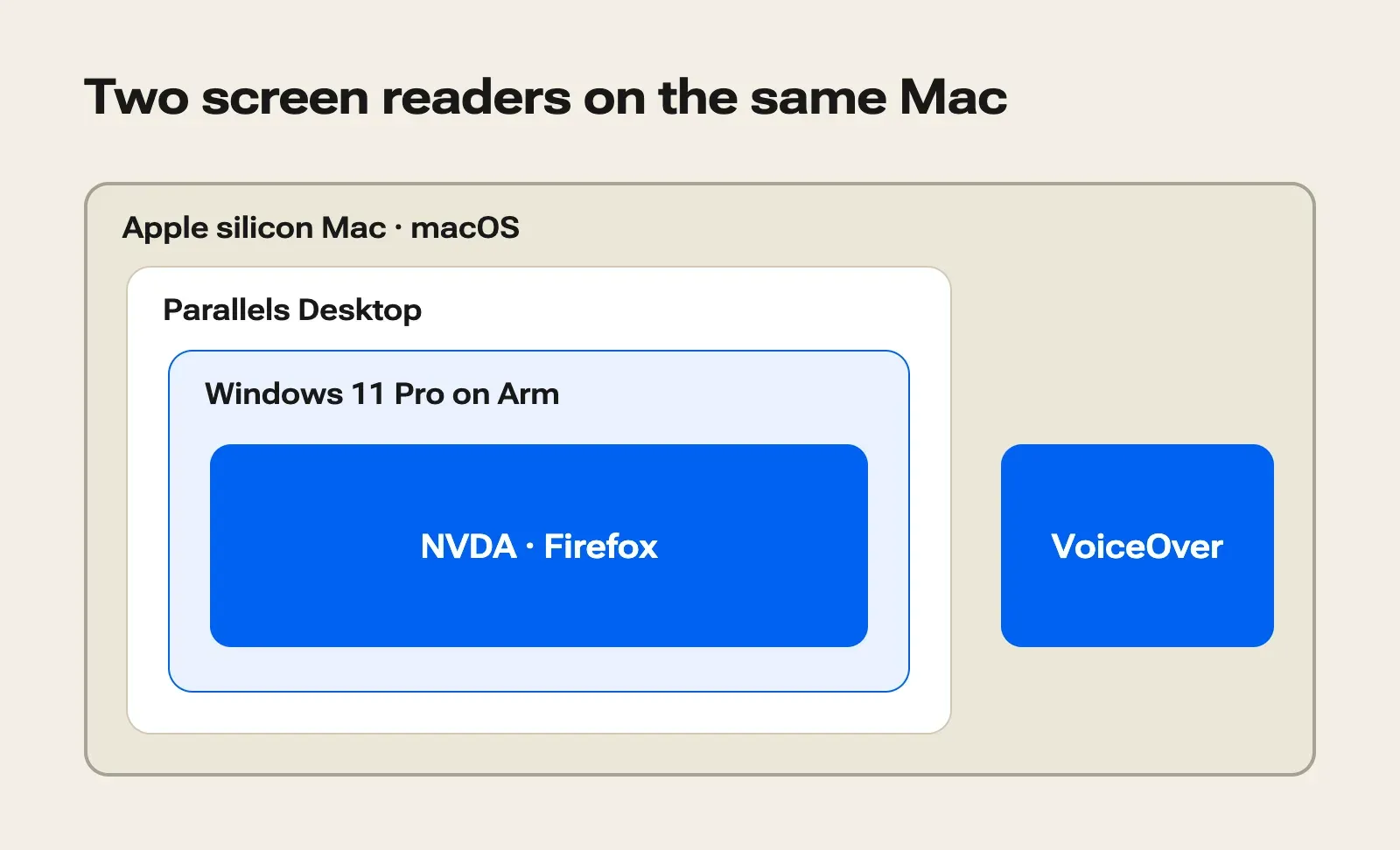
On an Apple silicon Mac, Windows runs in a virtual machine: a complete copy of Windows that a Mac app runs in a window. It's the version of Windows 11 built for Arm processors, and NVDA installs inside it.
#Which app to use to run Windows on a Mac?
Our pick is Parallels Desktop, the only virtual machine app that Microsoft lists among its “authorized solutions” for Apple silicon Macs. Microsoft's page only names the M1 to M3 chips, while Parallels supports every Apple silicon chip. The Standard edition lists at €99.99 a year, or €189.99 as a one-time purchase that only covers the version you buy.
Windows almost installs itself. The first time Parallels opens and finds no virtual machine, it offers Windows 11, downloads it from Microsoft and installs it. It needs at least 8 GB of memory on the Mac, and 16 GB for the best performance.
Two free apps also install Windows 11 on Arm: VMware Fusion, which is free even for business use, and the open-source UTM. Microsoft names neither of them, though, and Fusion comes with no technical support.
| App | Price | Named by Microsoft |
|---|---|---|
| Parallels Desktop | €99.99 a year or €189.99 once | Yes |
| VMware Fusion | Free | No |
| UTM | Free or €9.99 on the Mac App Store | No |
#How much Windows costs on a Mac, license included?
NVDA is free, but Windows isn't. Microsoft requires a license for every installation, virtual machines included, and Parallels doesn't come with one. Buy Windows 11 Pro, €259 on the Microsoft Store, because Microsoft only authorizes Parallels with the Pro and Enterprise editions, which rules out Home. A Pro product key works for the Arm version as well as for the PC version (x64).
With a Parallels Standard subscription, the whole setup comes to €358.99 the first year, then €99.99 a year. With VMware Fusion or UTM, you only pay for the license: €259.
#Installing NVDA in Windows 11 on Arm
In the virtual machine, download NVDA from NV Access's website. Its user guide states that Windows 11 on Arm is supported. Installation works just as it does on a PC, and we walk through it in our NVDA guide.
For browsers, install Chrome and Firefox. In WebAIM's 2026 survey, NVDA users pick Chrome more often. Chrome with this screen reader accounts for 17.3% of respondents, against 9.1% for Firefox. Our check on the demo page runs in Firefox.
 NVDA screen reader: how to install it, set it up and test a web page
#How to test a page with NVDA on a Mac keyboard?
First find an NVDA key that the Mac passes through to Windows, then listen to a page where you already know what each screen reader should say.
#Which NVDA key to use on a Mac keyboard?
You type most NVDA commands by holding down the NVDA key together with another key. Only three keys can play that part: Insert, 0 on the number pad with Num Lock off, or Caps Lock. Apple keyboards have no Insert key, and being able to choose another key is still an open request at NV Access.
The first time it starts, NVDA opens a “Welcome to NVDA” dialog with two settings for this case. The “Laptop” keyboard layout is meant for keyboards with no number pad, and a checkbox makes Caps Lock the NVDA key.
On a Mac, though, Caps Lock is already taken: by default, VoiceOver uses it as a key you hold down for its commands. Even with VoiceOver off, it often doesn't get through to a virtual machine, as an issue filed with NV Access in 2008 reports. In 2022, a developer at NV Access explained that the issue hadn't been made a priority, since this setup isn't one of the screen reader's main uses.
So only listen with NVDA once VoiceOver is off, which also keeps two voices from talking at once. Command+F5 turns VoiceOver on or off. Then find an NVDA key that gets through to the virtual machine, starting with the simplest option. On each try, check that NVDA+N opens the NVDA menu.
- A key NVDA already knows. On an Apple keyboard with a number pad, 0 on the pad is an NVDA key by default, with Num Lock off, if the virtual machine receives it.
- Caps Lock, checked in the welcome dialog, if the app passes it through. In UTM, Windows only sees it held down with a setting turned on and the keyboard captured by the virtual machine. Caps Lock can then be on in the Mac and off in Windows, or the reverse.
- A Mac key mapped to Insert. Only VMware Fusion documents this mapping, in its key mappings. Parallels doesn't say whether its shortcuts can send Insert, and it doesn't support keys remapped inside Windows by a utility such as SharpKeys. So try the first two keys during Parallels' 14-day free trial; if both fail, Fusion's mapping is what's left.
#How to check the setup on a demo page?
Once the key works, save a snapshot of the virtual machine, a saved state you can return to if a setting breaks, and name it “NVDA ready”. Then listen to the garden's tours page in Safari, and again in Firefox in Windows.
On the Mac, in Safari, VoiceOver moves from item to item and never announces a list.
VoiceOver goes quiet and frees up Caps Lock.
In the virtual machine, the menu opens, so the NVDA key gets through. If it stays closed, go back to the list of keys to try.
In Firefox, the L key takes NVDA to the next list, which it announces with its four items.
NVDA says something VoiceOver didn't: a list of four items. That one difference proves the setup works. Safari's silence is a response to VoiceOver users, who used to report too many “start of list” and “end of list” announcements. When a list should be announced as one, adding role="list" gives it back to them without changing anything on screen.
In the ticket template from our NVDA guide, write “Windows 11 on Arm, Parallels Desktop virtual machine” on the “Environment” line. Then, before each listening session in the virtual machine, run through this list: